PhotoCraft
Open a file. Make it yours.
Export to your device.
A Photoshop alternative.
Right in your browser.
PhotoCraft brings an open-source image editor to this page. Work with a familiar canvas, tools and layers, then download your result. No desktop installation. No account to create.
Keep the picture.
Change the possibilities.
Resize an image for a page. Crop a tighter composition. Open a PSD and inspect its layers. Start with the task in front of you, not a subscription.
Back to your workspace ↗
Open a local image
Choose Open in the editor, or use File → Open. Start with a copy of a PNG or JPG you want to edit.
Make the edit
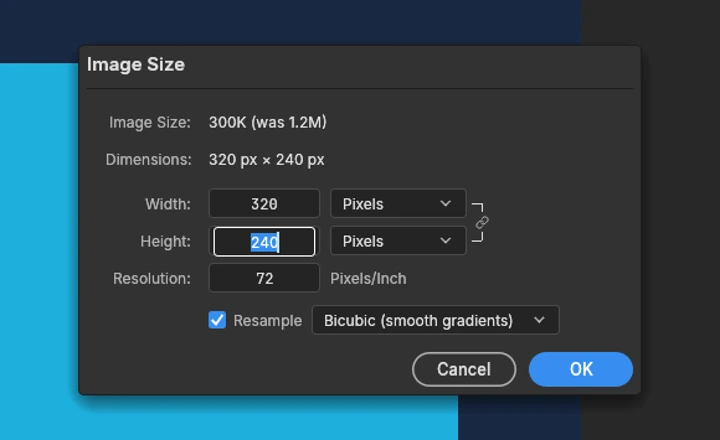
Use the canvas tools and layers. Need a smaller image? Image → Image Size changes the pixel dimensions.
Download your work
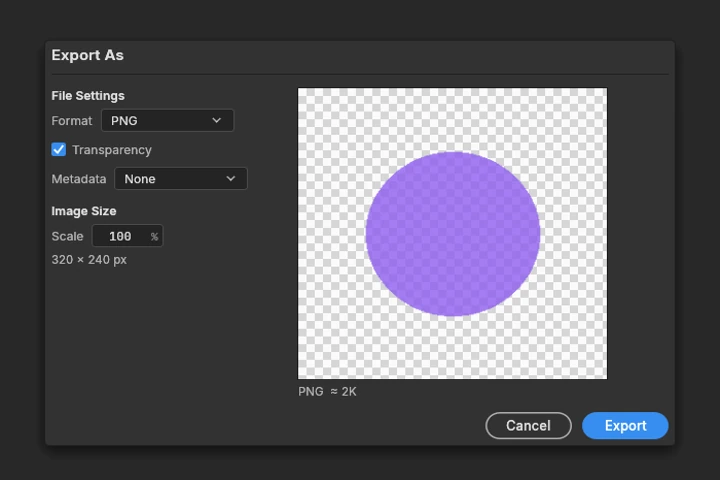
Use File → Export → Quick Export as PNG for a picture. Save a PSD separately if you want to keep editable layers.
Know the limits PhotoCraft is early alpha—not a complete replacement for professional Photoshop workflows. Web autosave and crash recovery are not available. Keep your originals and download work before leaving.
Learn the edit.
Then make it yours.
Four practical PhotoCraft guides, from your first image to the file you take away.
 THE FIRST EDIT
Getting started
Find your way around the workspace and finish a first edit.
 SIZE & COMPOSITION
Crop & resize
Change the crop or pixel dimensions—not just the zoom.
 THE FILE YOU KEEP
Save & export
Download the right format and avoid losing work in the tab.
 LAYERS & COMPATIBILITY
PSD files & layers
Open a PSD and understand the limits before you save a copy.
Before you
get carried away.
A few details about the editor, your files and this independent site.
Is this the official PhotoCraft website?
No. PhotoCraft Online is an independent site hosting the open-source Web build. PhotoCraft is developed by the ArtCraft team and contributors. Visit the official project for desktop downloads and upstream information.
Do I need an account or a subscription?
No. This browser editor and the guides are free to use. This site does not offer accounts, paid plans or cloud document storage.
Are my images uploaded to a server?
The editor processes files in your browser. This site has no image-upload endpoint. The site and editor files are downloaded from our hosting provider, and anonymous usage statistics are collected separately; see the privacy notice.
Will my work be here when I come back?
Do not rely on that. The Web build has no autosave or crash recovery. Download your work before closing or reloading. A PNG is a finished image; a PSD keeps supported editable layers. Learn what to save.
Can it open Photoshop PSD files?
PhotoCraft supports PSD files, but it is still early alpha. A simple file working does not guarantee that complex effects, fonts or every professional workflow will match Photoshop. Keep the original and check a separate saved copy.
What if the editor does not load?
Try a recent desktop browser with graphics acceleration available. The editor needs a working browser renderer. A WebGL retry can help when WebGPU fails. See the loading checklist. Reloading the editor discards unsaved work.
Your image. Your next idea.
Open a file and start making.
Use PhotoCraft ↗